Search your tabs, bookmarks and history in the Chrome address bar


Sometimes, finding the tab or bookmark you’re looking for in Chrome can be tough. Good news: The Chrome address bar on desktop just got an upgrade that can help. Now you can directly search through your Chrome tabs, bookmarks and history right from the address bar.
Use @tabs, @bookmarks and @history shortcuts
We now have three site search shortcuts directly built into the Chrome address bar, starting with @tabs, @bookmarks and @history.
@Tabs comes in handy when you have an explosion of tabs. Try it out by typing in “@tabs” in the address bar, pressing the “search tabs” button and then typing the title to see matching suggestions. Personally, I’m most guilty of having too many tabs when planning travel — like for the upcoming holidays. @Tabs can sift through heaps of tabs about flights, hotels, activities and rental cars to find the right tab. Combined with tab groups, @tabs makes getting things done easier.
If you already bookmarked a hotel months ago and now want to check its availability, the @bookmarks shortcut can help. Using @bookmarks helps you find the bookmark you’re looking for among all your folders of bookmarks, right from the address bar.
Sometimes while searching, you may need to revisit an old website for hiking trails on your trip that you forgot to bookmark and that is proving hard to find again. That’s not a problem, thanks to @history. This shortcut lets you quickly search through your browsing history right from the address bar, to help you get back to the page you’re seeking.
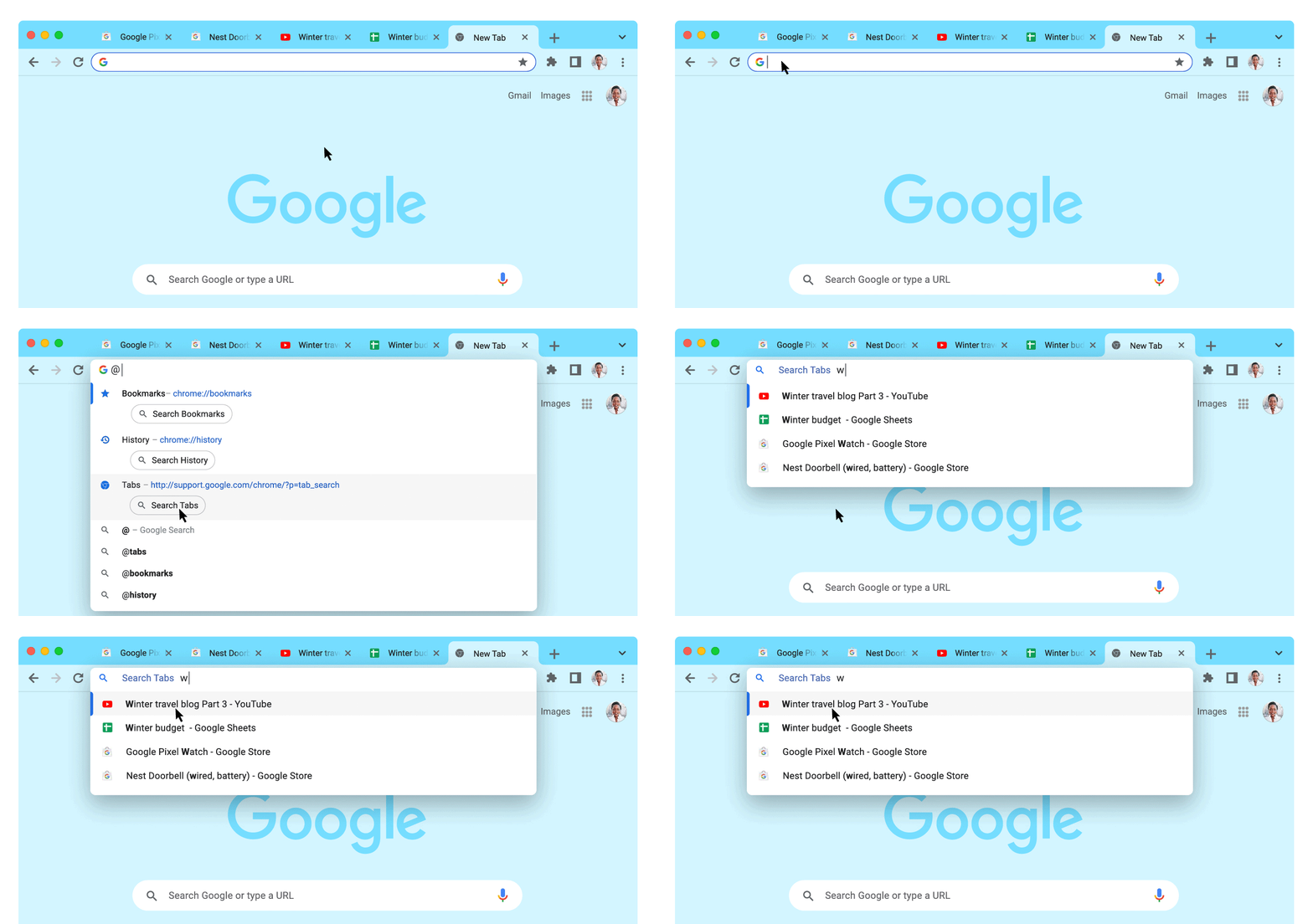
In the address bar, type @tabs, enter the title of the tab, and you’ll see a suggestion for it directly in the address bar.

Looking for a Bookmark? Type in @bookmarks, enter the bookmark name, and you’ll see the matching suggestions in the dropdown.
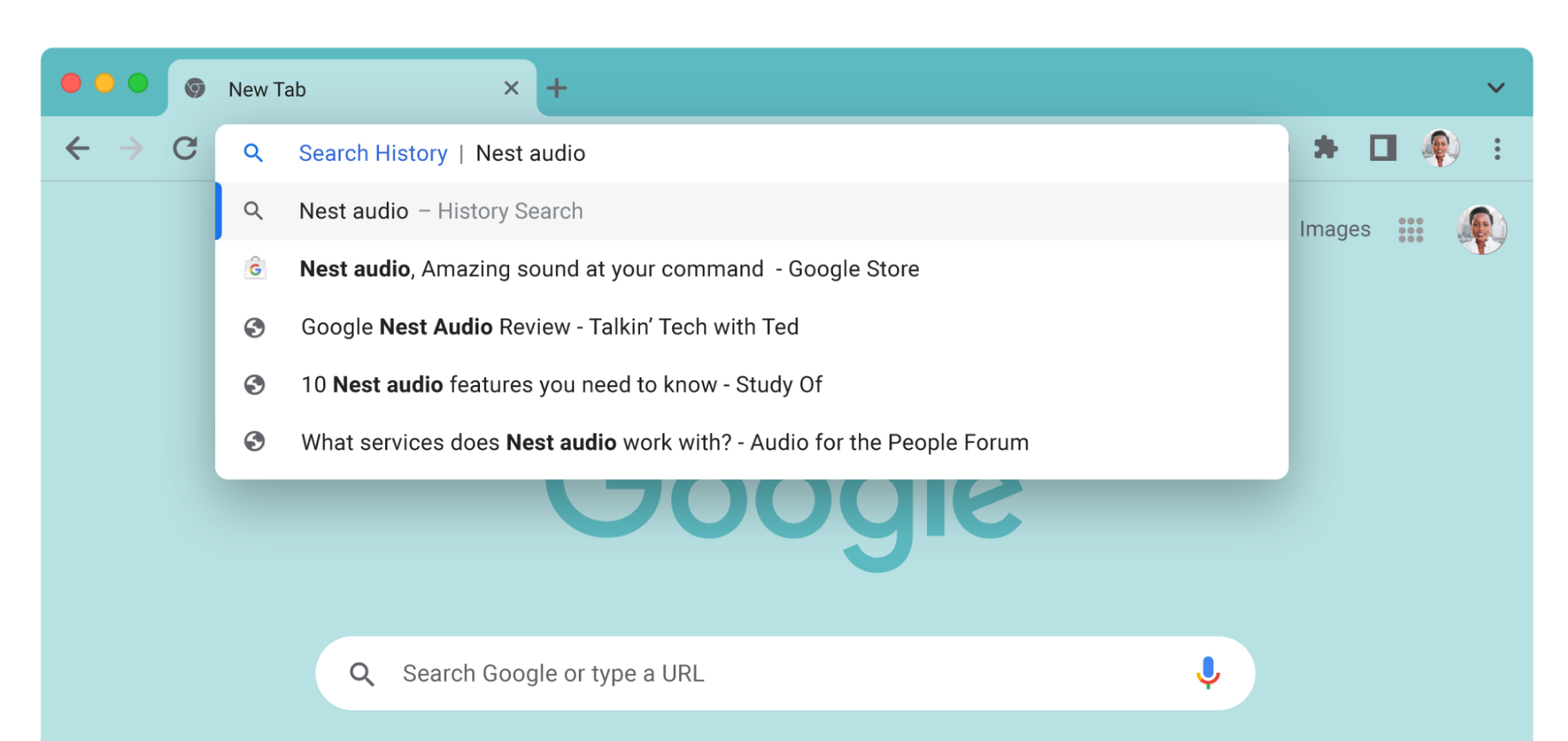
Searching for something from your history that’s proving hard to find? Type in @history, enter some characters, and you’ll get a preview of your Chrome browsing history in the address bar.
Save time with custom site search shortcuts
Do you have favorite sites that you search through often, like YouTube or Google Drive? You can also activate your own custom site search shortcuts to search through them directly from the Chrome address bar on your desktop. Go to “Manage search engines and site search” (chrome://settings/searchEngines) in Chrome settings on desktop and activate them. You can get there quickly using Chrome Actions, by typing in “customize site search,” too.